Free tool, no signup
Free scam and phishing email checker
Check if an email is a scam. Paste it for a verdict, the exact red flags found in it, and what to do next.
This tool handles one email. Batmail handles the rest.
Check it by hand
You can check an email for a scam yourself in five steps.
Each step is one thing to look at, and none needs you to click anything. The email below is made up and has all five signs. The advice is from Google, CISA and the FTC, read on 27 October 2026.
A made-up email with all five signs
Hello customer,
We could not collect your last payment. Pay within 24 hours or your account will be suspended.
The link says hallowmere.example/pay
Under each step, a card shows the flag the checker reports for that sign.Written by hand for this made-up email, in the format the checker uses. Run the sample through the checker to see its own wording.
Read the sender's real address, not the name beside it.
Anyone can put a company name in front of an address. Open the sender details (in Gmail, the small arrow beside "to me") and read what comes after the @. A look-alike domain swaps one character for another or adds a word, so read it letter by letter.
Sources: Gmail Help: Avoid & report phishing emails, CISA: Recognize and report phishing.
One real domain and three look-alikes
hallowmere.example
RealThe domain you know.
hallowrnere.example
Look-alike"rn" looks like an "m".
hal1owmere.example
Look-alikeA "1" stands in for an "l".
hallowmere-secure.example
Look-alikeAn extra word that sounds official.
SenderhighSample flagThe address billing@hallowrnere.example spells the company name with "rn" where an "m" belongs.
Rest the pointer on a link to see where it really goes.
The words of a link can say one thing while the link goes somewhere else. On a computer, hover without clicking and read the address that appears. Google's advice is that if it does not match the link's description, the link might lead to a phishing site. On a phone, press and hold the link instead of tapping it.
Source: Gmail Help: Avoid & report phishing emails.
What the link says, and where it goes
What the link says
hallowmere.example/pay
What the browser shows when you rest the pointer on it
https://hm-invoices.example/login
LinkshighSample flagThe link text says hallowmere.example/pay, but the link goes to hm-invoices.example/login, a login page on a different domain.
Be wary of a deadline, a threat or a request for payment details.
Scam emails push you to act before you think: a short deadline, a threat to suspend an account, or a problem with your payment information that is not real. The FTC says legitimate companies will not email or text a link to update your payment information.
Sources: FTC: How to recognize and avoid phishing scams, CISA: Recognize and report phishing.
Three ways one sentence rushes you
A deadline
“Pay within 24 hours”
A threat
“your account will be suspended”
A payment problem
“We could not collect your last payment”
PressuremediumSample flag"Pay within 24 hours or your account will be suspended" sets a deadline and threatens the account.
Do not open an attachment or an invoice you were not expecting.
An invoice you do not recognize is one of the signs the FTC lists, and an attachment can install harmful software. Ask whether you bought anything from this sender, or were told to expect a file.
Source: FTC: How to recognize and avoid phishing scams.
Two questions before you open a file
Invoice_4471.zip- Did I buy anything from this sender?No, in this email
- Was I told to expect an invoice or a file?No, in this email
The askmediumSample flagInvoice_4471.zip is a compressed file nobody asked for, attached to a demand for payment.
Check where a reply would go.
An email can show one sender and send your reply somewhere else. Press Reply and read the To line, or find Reply-To in the sender details. The same company at a different address is normal. A different domain is not.
Who sent it, and who gets your reply
It is sent from
billing@hallowrnere.example
Your reply goes to
payments@mail-desk.example
SendermediumSample flagThe reply address payments@mail-desk.example is on a different domain from the sender, so a reply would not reach the company.
If you are still not sure, contact the company yourself.
If you have an account with the company, or know the person who wrote, contact them on a phone number or website you know is real, not the details in the email. If you do not, check the message against the five signs and, if they are there, report it and delete it.
Source: FTC: How to recognize and avoid phishing scams.
To see the checker’s own flags for the email above, fill the box at the top of the page with it.
Check this sample email with the toolAfter a scam email
After a scam email, report it, block it and pay nothing.
These steps come from the FTC, CISA, Google and Microsoft, read on 27 October 2026. Each one links to the page it is read from.
Do not reply, click, open or call.
Do not click any link or open any attachment, including an "unsubscribe" link. If the message might be real, do not call a number in it either: look up the company's contact details yourself.
Source: CISA: Recognize and report phishing.
Report it to your email provider.
In Gmail, open the message, click More next to Reply, then Report phishing. In Outlook, choose Report Message on the ribbon, then Phishing.
Sources: Gmail Help: Avoid & report phishing emails, Microsoft Support: Use the Report Message add-in.
Report it to the FTC and forward it to the Anti-Phishing Working Group.
The FTC takes reports at ReportFraud.ftc.gov and asks you to forward a phishing email to reportphishing@apwg.org.
Sources: FTC: How to recognize and avoid phishing scams, ReportFraud.ftc.gov.
Block the sender and delete the email.
In Gmail, open the message, click More next to Reply, then Block the sender: their future emails go to Spam.
Pay nothing through the email.
Do not pay through a link or details in a message you did not expect. If you think a bill is real, contact the company on a phone number or website you know is real.
What you do next depends on what you already did.
What to do depends on what you did
You only read it.
Report it, then delete it.
You clicked a link or opened an attachment.
Update your computer's security software, run a scan and remove what it finds, then report the email.
You shared a password or financial details.
Change that password on the real site, then follow the IdentityTheft.gov steps for what you shared.
Sources: FTC: How to recognize and avoid phishing scams, IdentityTheft.gov.
A fake delivery notice and a fake order confirmation each have a guide with the signs to look for: the guide to fake USPS emails and the guide to fake Amazon order emails. The holiday scam emails guide puts them side by side. The big brands that scammers copy have a guide each too: the PayPal, Geek Squad, Norton and McAfee, DHL, Netflix, Apple, Microsoft, Docusign, Venmo, Zelle, Chase, Wells Fargo, Bank of America, the IRS, Costco, Walmart, AT&T, Capital One, Citi, American Express, USAA, Social Security, Medicare, Verizon, Xfinity, Cash App, Spotify, LinkedIn, Discover, Dropbox, TD Bank, Navy Federal, U.S. Bank, Target and E-ZPass guides.
A filter can block a whole company or domain, not just one sender. The guide to blocking emails in Gmail has the steps and a filter to copy.
How it decides
The six-signal read
It reads the pasted message against six signal families, quotes the wording behind each flag, and scores 0 to 100 from the text alone.
Six signals in one made-up message
Hallowmere Accounts
billing@hallowrnere.example
Invoice 4471 is overdue
Dear customer,
Your account will be closed in 24 hours unless you act.
Confirm your password to keep access.
View invoice
goes to hm-invoices.example/login
Sender. The name shown does not match the address, and the domain is a lookalike.
Links. The link text does not match where the link goes.
Pressure. A threat to close the account, with a deadline.
The ask. It asks for a password.
Context. An invoice nobody expected.
Craft. A generic greeting.
What to look for
Sender
Whether the name shown, the real address, the domain spelling and the reply address all line up with who the email claims to be.
Rubric display name that does not match the address, lookalike domains (rn for m, 1 for l, -secure suffixes), free mail domains for corporate senders, reply-to differing from from.
Links
Whether the links go where their text says, and whether they lead to shortened, numeric or off-brand addresses or to a login page.
Rubric text that does not match the destination, URL shorteners, raw IPs, domains unrelated to the claimed brand, credential pages.
Pressure
Attempts to rush or frighten you into acting before thinking.
Rubric urgency, threatened account closure, legal threats, secrecy, unusual deadlines.
The ask
What the email wants from you. Requests for secrets, money or a surprise attachment are warning signs.
Rubric passwords, one-time codes, MFA approval, payment, gift cards, wire transfers, crypto, banking details, or an unexpected attachment.
Context
Whether the situation itself is odd, such as a bill nobody expected or a boss asking for something outside the usual channel.
Rubric unexpected invoice or delivery, a payroll or bank-detail change, a request that bypasses normal process, an executive asking for something out of band.
Craft
The workmanship of the email, for signs it was not written by the company it claims to be from.
Rubric generic greeting, grammar and spacing errors, wrong branding, wrong locale or currency.
From a paste to a verdict
- You paste
The message, 20 to 12,000 characters. A bare address or link is turned away: there is no message to judge.
- It reads six signalsSenderLinksPressureThe askContextCraft
- You get a score
0 to 100, with the exact wording quoted for each flag: up to 8 red flags, 5 reassuring points and 5 next steps.
Questions
What people ask
The answers worth having before, and after, you use the tool.
How can I tell if an email is a scam?
Look at five things: the sender's real address, where each link goes, any deadline or threat, any attachment or invoice you did not expect, and where a reply would go. The checker above reads these and a few more. A clean result is a second opinion, so if the email still asks for money or a login, contact the company on a phone number or website you know is real.
Can I check just an email address or a link?
Not here. The checker reads a whole message, because the wording, the ask and the link text are where a scam shows. A bare address or link is turned away, since there is nothing to judge. Paste the sender address, the subject and the full body, and add the link's real address if you can copy it.
What is the difference between spam, phishing and a scam email?
Spam is unwanted bulk email. Phishing is a message that poses as a company or person you trust to get your password, payment details or a click. Scam is the wider word: it covers fake invoices and prizes as well as phishing. Gmail and Outlook both have a separate Report phishing option, so use it for the second kind.
Is it safe to paste an email here?
Paste the text of the message, never your password or a one-time code. The text is sent to the AI model that scores it and is not stored on our servers or used to train anything. Do not open attachments to copy them; you do not need them for the check.
I clicked a link in a scam email. What do I do now?
If you only opened the page and typed nothing, close it. If you opened an attachment or something installed itself, update your computer's security software, then run a scan and remove what it finds. If you entered a password, change it now on the real site and anywhere you reused it, then turn on two-factor authentication. If you shared card, bank or other personal details, call your bank and follow the steps at IdentityTheft.gov for what you shared.
Where do I report a scam email?
In Gmail, open the message, click More next to Reply, then Report phishing. In Outlook, choose Report Message on the ribbon, then Phishing. In the US, report it to the FTC at ReportFraud.ftc.gov and forward a phishing email to reportphishing@apwg.org. In the UK, forward it to report@phishing.gov.uk. Tell the company it pretends to be as well.
This tool handles one email. Batmail handles the rest.
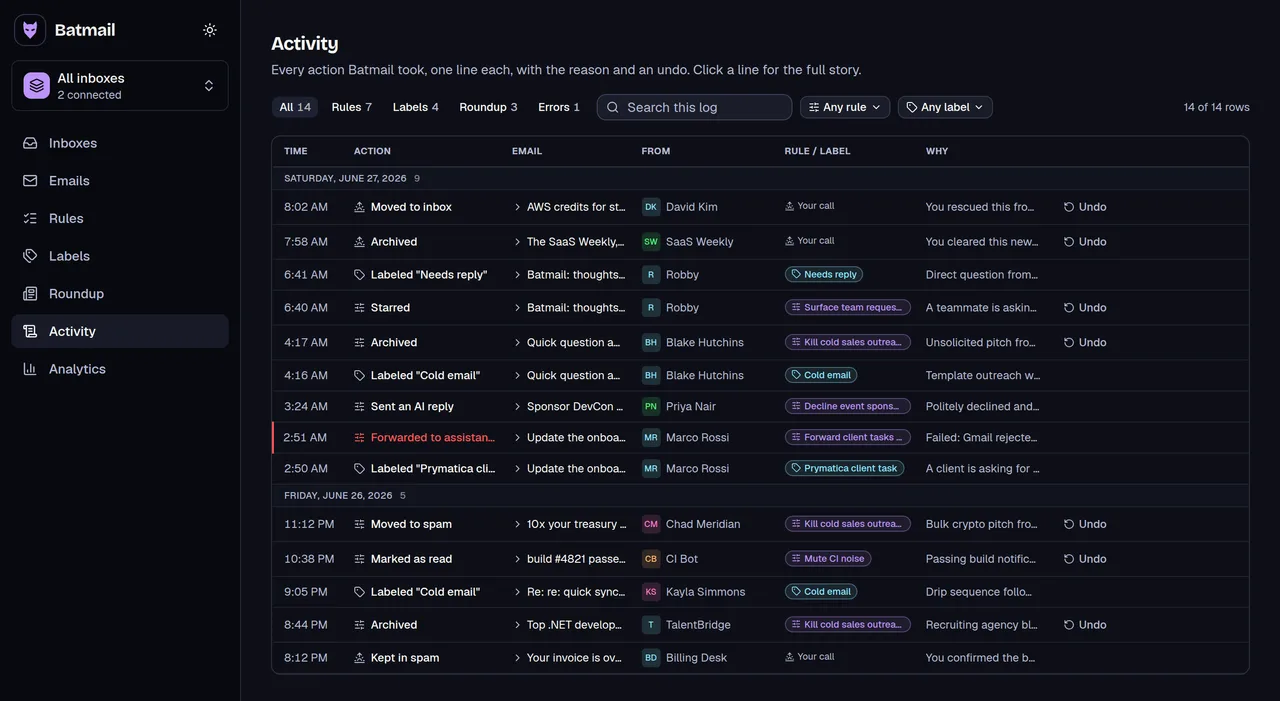
One suspicious email is a copy and paste. A hundred a week is a job. Batmail reads every message that lands overnight, and its rules are plain English, so a rule like "looks like a scam" can send one to spam, with the reason written down.
More free tools
Other things you can do here
All free, all without an account.
Guides that take apart the fake delivery, order, invoice and account emails people get, and the Gmail steps for reporting a scam and stopping spam, are USPS scam emails, Fake Amazon order emails, Holiday scam emails, Fake PayPal emails, Fake Geek Squad invoice emails, Fake Norton and McAfee renewal emails, Fake DHL emails, Fake Netflix payment emails, Fake Apple receipt emails, Fake Microsoft sign-in emails, Fake Docusign emails, Fake Venmo emails, Fake Zelle emails, Fake Chase emails, Fake Wells Fargo emails, Fake Bank of America emails, Fake IRS emails, Fake Costco emails, Fake Walmart emails, Fake AT&T emails, Fake Capital One emails, Fake Citi emails, Fake American Express emails, Fake USAA emails, Fake Social Security emails, Fake Medicare emails, Fake Verizon emails, Fake Xfinity emails, Fake Cash App emails, Fake Spotify emails, Fake LinkedIn emails, Fake Discover emails, Fake Dropbox emails, Fake TD Bank emails, Fake Navy Federal emails, Fake U.S. Bank emails, Fake Target emails, Fake E-ZPass emails, Stop spam in Gmail. The rest are in all the guides.