Free tool, no signup
Free CC and BCC sorter
List who the email is going to and why. See who goes in To, Cc and Bcc, and exactly what each person will see.
Your address lines
Thanks for the introduction, Sunniva. Moving you to Bcc to spare your inbox.
What each person sees:
- Mira VanceTo
- To:
- Mira Vance
- Cc:
- Kasimir Aldercott
- Bcc:
- Cannot tell that anyone is in Bcc.
- Reply all reaches:
- Ottilie, Kasimir Aldercott
Reply all never reaches the Bcc recipients.
- Kasimir AldercottCc
- To:
- Mira Vance
- Cc:
- Kasimir Aldercott
- Bcc:
- Cannot tell that anyone is in Bcc.
- Reply all reaches:
- Ottilie, Mira Vance
Reply all never reaches the Bcc recipients.
- Sunniva BrackenlowBcc
- To:
- Mira Vance
- Cc:
- Kasimir Aldercott
- Bcc:
- Sees no other Bcc recipient, and nobody else can tell they had it.
- Reply all reaches:
- Ottilie, Mira Vance, Kasimir Aldercott
Reply all from Sunniva would show everyone in To and Cc that Sunniva had the email.
This tool handles one email. Batmail handles the rest.
Continue with GoogleHow to use it
Here is how to sort an email's recipients in under a minute.
Each row is one person. The fields, the warnings and the view of every copy update as you type.
- Type each person as a name, an address or both, such as Mira Vance <mira@hallowmere.example>.
- Say what each one is for: has to reply or act, only needs to know, gets a private copy, is one of many strangers, or is being moved off the thread.
- Copy the To, Cc and Bcc lines into your email, or pick the same people from your contacts.
- Read what each person will see, and where Reply all from them would go, before you send.
- Fix anything the warnings point out, such as an empty To line or a private copy someone could give away.
Three fields, one difference
To:
The primary recipients: the people the email is for.
Everyone on the email sees these addresses.
Cc:
Carbon copy: others who should have it, though it may not be directed at them.
Everyone on the email sees these addresses.
Bcc:
Blind carbon copy: recipients whose addresses are not revealed to the others.
Nobody else sees them, and a Reply all never reaches them.
These three emails show how the sorter places people.
An introduction moves the introducer to Bcc.
Sunniva Brackenlow introduced Ottilie Fenwright to Mira Vance. Ottilie replies with Mira as the person who has to act, her manager Kasimir as someone who only needs to know, and Sunniva as being moved off the thread. The sorter puts Mira in To, Kasimir in Cc and Sunniva in Bcc, and writes the first line: "Thanks for the introduction, Sunniva. Moving you to Bcc to spare your inbox."
A notice to strangers goes in Bcc with your own address in To.
The office manager at Hallowmere Print Co tells 4 customers who have never met that the shop is moving. She marks each of them as one of many who do not know each other, and the sorter puts them all in Bcc with the warning "Nobody is in To." Put your own address in To. The email then has a visible recipient, and every address in Bcc stays hidden.
A private copy carries a Reply all risk.
Kasimir Aldercott writes to a supplier and gives his director, Ines, a private copy. The sorter puts her in Bcc and flags it: "Ines has a private copy." A Reply all from Ines would reach the supplier, so Kasimir asks her to answer only him.
What each copy shows
Mira Vance
To- Sees in To:
- Mira Vance
- Sees in Cc:
- Kasimir Aldercott
- Bcc:
- Cannot tell that anyone is in Bcc.
- Reply all reaches:
- Ottilie, Kasimir Aldercott
Kasimir Aldercott
Cc- Sees in To:
- Mira Vance
- Sees in Cc:
- Kasimir Aldercott
- Bcc:
- Cannot tell that anyone is in Bcc.
- Reply all reaches:
- Ottilie, Mira Vance
Sunniva Brackenlow
Bcc- Sees in To:
- Mira Vance
- Sees in Cc:
- Kasimir Aldercott
- Bcc:
- Sees no other Bcc recipient, and nobody else can tell they had it.
- Reply all reaches:
- Ottilie, Mira Vance, Kasimir Aldercott
These are the CC and BCC mistakes people notice.
A list of strangers went in To or Cc.
Everyone could see everyone else's address, and every Reply all reached them all. Put them in Bcc and your own address in To.
A Bcc recipient pressed Reply all.
Their reply reached everyone in To and Cc and showed that they had a private copy. Ask anyone in Bcc to answer only you.
Too many people were asked to act.
When five people are in To, each one waits for another. Keep To for the people who must act, and name one owner in the first line.
Bcc carried a large mailing.
Microsoft's help page warns that many junk filters flag email that uses Bcc. For a real mailing list, use a group address instead.
Two other free tools help with the email around the addresses.
- The introduction email builder writes the email that introduces two people.
- The email greeting picker finds the right way to greet a group.
Questions
These are the questions people ask.
The answers worth having before, and after, you use the tool.
What does CC mean in email?
Carbon copy. RFC 5322, the standard that defines the email format, says the Cc field holds the addresses of others who are to receive the message, though its content may not be directed at them. Everyone on the email can see who was copied.
What is BCC in email?
Blind carbon copy. The same standard says Bcc holds recipients whose addresses are not to be revealed to the other recipients. Gmail's help page adds that people in Bcc cannot see each other either.
What is the difference between CC and BCC?
Who can see them. Everyone sees the To and Cc lines, while only the sender knows who was in Bcc. Microsoft's help page says a recipient cannot tell whether the sender added anyone in Bcc.
Does Reply all go to BCC recipients?
No. Gmail's help page says people in Bcc do not see a reply all. But when someone in Bcc clicks Reply all, their reply goes to everyone in To and Cc, and shows that they had the email.
How do I add BCC in Outlook?
In new Outlook, open Options, then Show fields, and select Show Bcc. In classic Outlook, select Options, then Bcc in a message window, or Bcc on the ribbon in the reading pane. In Outlook for Mac, select Bcc at the end of the To line, and in Outlook on the web, select Bcc to the right of To.
How many people can I put in CC and BCC?
Gmail's help page warns when one email goes to more than 500 recipients, and Outlook.com allows 500 per message for Microsoft 365 subscribers. Bcc counts toward the total. For bigger lists, Gmail's page suggests a Google Group.
Is anything I type sent anywhere?
No. The sorting happens in your browser, and nothing you type leaves this page.
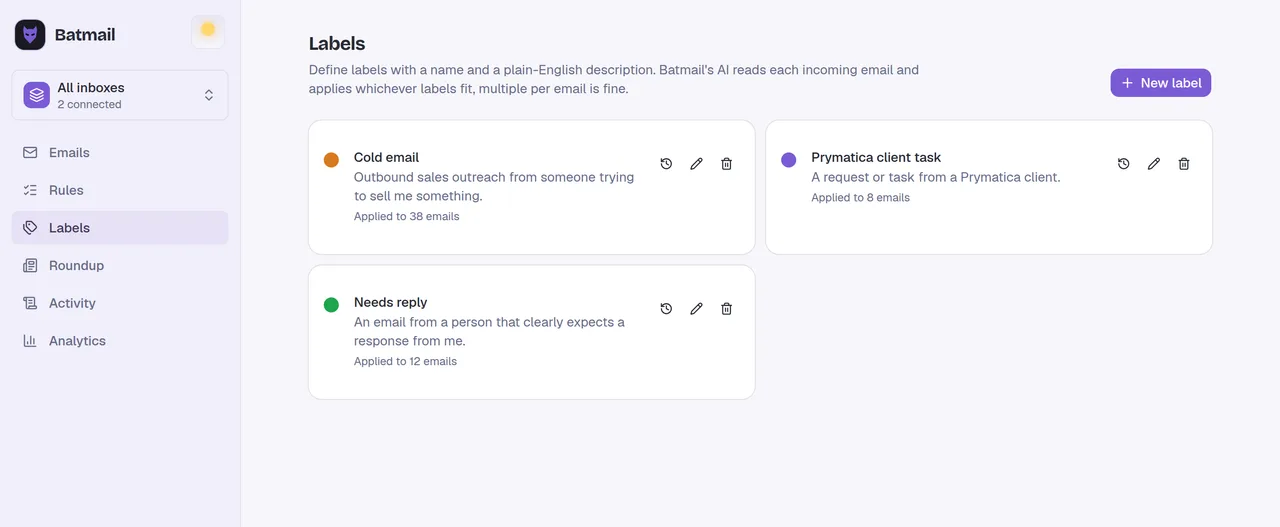
This tool handles one email. Batmail handles the rest.
Being copied on everything is how inboxes fill up. Batmail reads what lands in your Gmail overnight and labels each email by what it is, so the copies sent for your information stop crowding the ones that need you.
More free tools
There are more free tools here.
All free, all without an account.