Free tool, no signup
Free Gmail archived email finder
Say what you remember about the email. Get the Gmail search that finds it among your archived mail, then move it back.
Your Gmail search
in:archive
It finds: Every email you archived: everything that left the inbox and is still in All Mail.
Open in Gmailin:archiveOnly archived mail: out of the inbox, still under All Mail.
To put it back in the inbox on a computer:
- 1Open the search in Gmail on your computer.
- 2Check the box next to the message.
- 3At the top, click Move to Inbox.
In the Gmail app:
- 1Paste the search into the search bar at the top of the Gmail app.
- 2Touch and hold the message.
- 3At the top right, tap More, then Move to Inbox.
This tool handles one email. Batmail handles the rest.
Continue with GoogleHow to use it
Here is how to find an archived email in a few clicks.
Every search starts with in:archive, the operator Google lists for archived mail, and each detail you add narrows it.
- Type what you remember: who sent it, words from the subject, or words from the email itself.
- Pick roughly when it arrived, or two dates it arrived between.
- Tick It had an attachment if it did. Tick Only mail with none of my labels to skip the mail you filed under a label.
- Press Open in Gmail, or copy the search into the Gmail search bar on a computer or in the app.
- To put the email back, check the box next to it and click Move to Inbox. In the app, touch and hold it, tap More, then Move to Inbox.
One search, part by part
in:archive from:billing@wrenfold.example subject:invoice newer_than:6m has:attachment
- 01
in:archive
Only archived mail: out of the inbox, still under All Mail.
- 02
from:billing@wrenfold.example
Sent by billing@wrenfold.example.
- 03
subject:invoice
This word is in the subject.
- 04
newer_than:6m
Received in the last 6 months.
- 05
has:attachment
Has a file attached.
These three searches show what the finder writes.
Every archived email is one short search away.
With nothing filled in, the finder writes in:archive. Ottilie Fenwright runs it to see everything she has ever archived in one list, which is the quickest answer to where archived mail went.
An old invoice turns up by sender and subject.
Kasimir Aldercott needs an invoice from Wrenfold Cycles that he archived months ago. He types the billing address, the word invoice and the last 6 months, ticks the attachment box, and gets in:archive from:billing@wrenfold.example subject:invoice newer_than:6m has:attachment. Gmail lists only archived invoices with a file attached.
Mail filed nowhere shows what slipped through.
Sunniva Brackenlow labels everything she means to keep, so an archived email with no label is one she never sorted. She ticks Only mail with none of my labels and picks 1 to 30 September, and the finder writes in:archive after:2026/09/01 before:2026/09/30 has:nouserlabels.
Where an archived email goes
- 01
In the inbox
Where every new email starts.
- 02
You click Archive
It leaves the inbox. Nothing is deleted.
- 03
Under All mail
Still there, and in:archive finds it.
- 04
Back in the inbox
When someone replies, or you click Move to Inbox.
These are the reasons an archived email seems lost.
The search looked in the inbox.
Archived mail has left the inbox, so the inbox view will never show it. Open All Mail, or start the search with in:archive.
The email is in Spam or Trash.
Google's help page on searching says Spam and Trash are left out of a standard search. Search with in:anywhere to include them.
A label was ticked as a filter.
Google's help page notes that labels are added to messages, not whole conversations, so a label search can miss part of a thread. Try again with the label box clear.
The phrase was typed from memory.
A phrase in the words box must match word for word. Subject words are grouped in brackets instead, so they match in any order.
Two other free tools help keep a Gmail inbox under control.
- The Gmail mass delete builder clears the mail you never want to see again.
- The Gmail filter generator archives the same kind of mail for you as it arrives.
Questions
These are the questions people ask.
The answers worth having before, and after, you use the tool.
Where do archived emails go in Gmail?
Nowhere far. Google's help page says an archived message no longer appears in your inbox, but you can still find it under the All mail label. On a computer, click More, then All Mail on the left. In the app, tap Menu, then All mail.
How do I search only my archived emails?
Type in:archive into the Gmail search bar. Google lists it among its own search operators, and you can add others to it, such as in:archive from:someone, to narrow the list.
How do I unarchive an email in Gmail?
On a computer, check the box next to the message and click Move to Inbox at the top. In the Gmail app, touch and hold the message, tap More at the top right, then Move to Inbox.
Why did an archived email come back to my inbox?
Someone replied to it. Google's help page says a reply to an archived message returns it to your inbox.
Is archiving the same as deleting?
No. Archived mail stays in your account and in search, while deleted mail moves to Trash. Archive what you might need again, and delete what you never will.
Does the tool see my emails?
No. It writes a search and nothing else. The search runs in your own Gmail, and nothing you type here leaves your browser.
This tool handles one email. Batmail handles the rest.
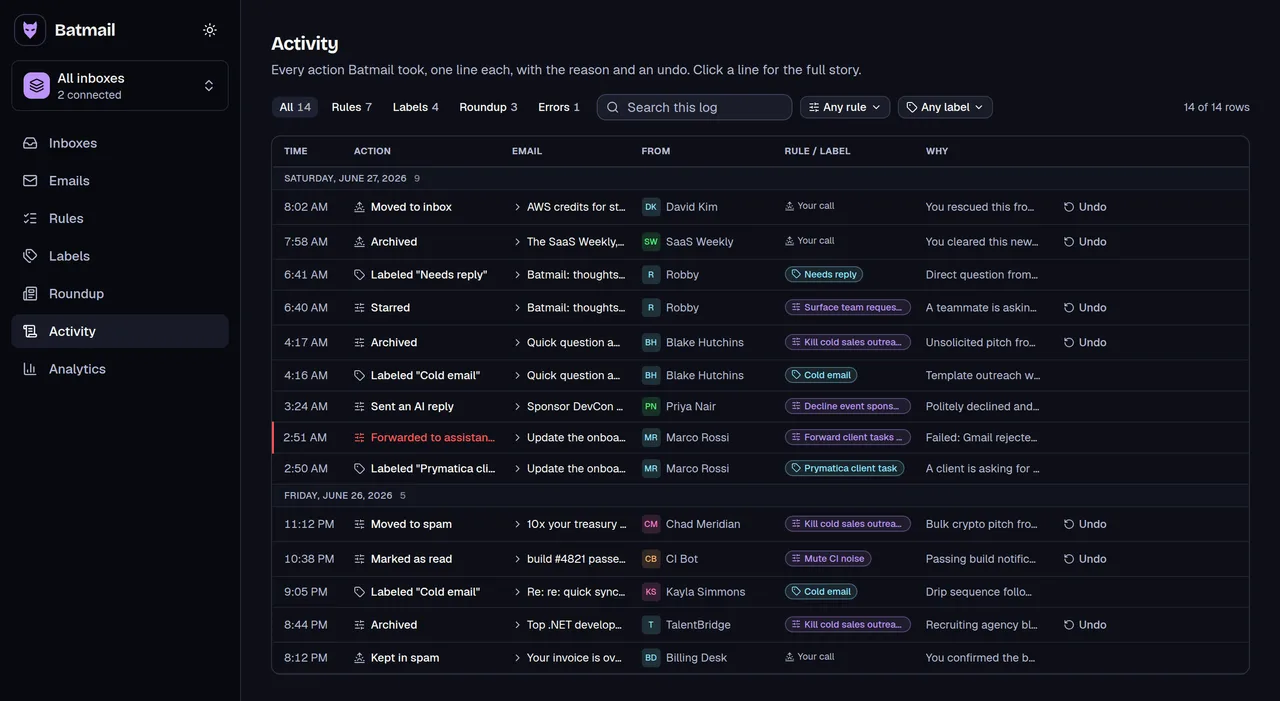
Archiving by hand clears the inbox one email at a time. Batmail archives for you every night with plain-English rules, and logs each email it moved with the reason, so you can always see where something went.
More free tools
There are more free tools here.
All free, all without an account.