Free tool, no signup
Free professional email rewriter
Paste a rough draft and pick a tone. Get a clear, professional version, plus what changed and why.
How it decides
Ask in line one
It puts the ask in the first line, cuts the hedging, keeps your facts exactly, and lists what you still need to decide.
What good looks like
Subject
The subject line says plainly what you want or what the email is about, with nothing held back to tempt a click.
Rubric The subject states the ask or the topic literally. No teasers.
First sentence
The very first sentence tells the reader what you need from them.
Rubric The first sentence contains the point. The reader should know what is wanted before the second line.
One request
Each email asks for one thing, and if your draft hints at a deadline the rewrite states the date.
Rubric One request per email, with a date attached if the draft implies a deadline.
Short paragraphs
No paragraph runs past three sentences.
Rubric Short paragraphs, at most three sentences each.
Sign-off
The email ends with an ordinary closing line, nothing elaborate.
Rubric Plain sign-off.
What to cut
Hedging
Soft, apologetic phrases that bury the request are removed.
Rubric Hedging that hides the ask: "just", "sorry to bother you", "I was wondering if maybe", "if it is not too much trouble", "hopefully".
Throat-clearing
Warm-up lines that say nothing are cut so the email starts with the point.
Rubric Throat-clearing openers: "I hope this email finds you well", "I wanted to reach out".
Restated history
Long recaps of what happened before are trimmed to one line of background.
Rubric Restating the whole history when one line of context is enough.
Passive voice
Sentences that hide who did the thing are rewritten to name the person when that matters.
Rubric Passive constructions where the actor matters.
Hard rules
Preserve meaning
The rewrite says what your draft said and nothing more. Anything the email still needs is listed for you to fill in rather than invented.
Rubric Rewriting means preserving meaning. Never add a fact, a name, a number, a date, a commitment or an apology that is not in the draft. If the draft is missing something the email needs, leave it out of the body and raise it in openItems.
Shorter is better
The rewrite is allowed to be shorter than your draft and is never lengthened to seem more polished.
Rubric Shorter is usually better. Do not pad to sound formal.
Facts copied exactly
Your numbers, names and dates come through unchanged.
Rubric Keep the user's own facts exactly: figures, names and dates are copied, never adjusted.
Placeholders
A bracketed blank such as [date] appears only where your draft left a gap, and every blank is listed back to you.
Rubric Use square-bracket placeholders like [date] only where the draft itself left a gap, and list each one in openItems.
No em dashes
The rewrite never uses the long dash.
Rubric No em dashes anywhere.
Tone, not facts
The tone you pick changes how formal or relaxed the wording is, never what the email says.
Rubric Match the requested tone. Tone changes the register, never the facts.
Your draft is passed to the model labelled as untrusted content to rewrite, never as instructions, and the model is told to ignore anything inside it that tries to change its role or the rules. The server holds the draft only for the length of the request and writes nothing to a database or a log. The rubric above is not a summary of the instructions the model is given: it is those instructions, word for word, generated from the same file. Change one and you change the other.
Questions
What people ask
The answers worth having before, and after, you use the tool.
What makes an email sound professional?
A subject line that states the ask, the point in the first sentence, short paragraphs, one clear request with a date attached, and a plain sign-off. Professional does not mean formal; it means the reader knows what you need before they finish the first line.
How do I start a professional email?
"Hi <name>," is correct in almost every workplace, including a first approach. Use "Dear <name>," for formal or legal correspondence. Skip "To whom it may concern" unless you genuinely cannot find a name, because it reads as a template.
How do I end a professional email?
"Best," "Thanks," and "Kind regards," all work and none of them will be noticed, which is the goal. Put your ask in the last line before the sign-off rather than in the sign-off itself.
How do I say something difficult without sounding rude?
State the fact, then the effect, then what you want to happen. Drop the softeners that hide the ask, such as "just," "sorry to bother," and "I was wondering if maybe." Firm and short reads better than apologetic and long.
Is anything I paste kept?
No. Your draft goes to the AI model that rewrites it and comes straight back. Nothing is stored on our servers or used for training. Do not paste passwords, card numbers or anything you would not send in the email itself.
This tool handles one email. Batmail handles the rest.
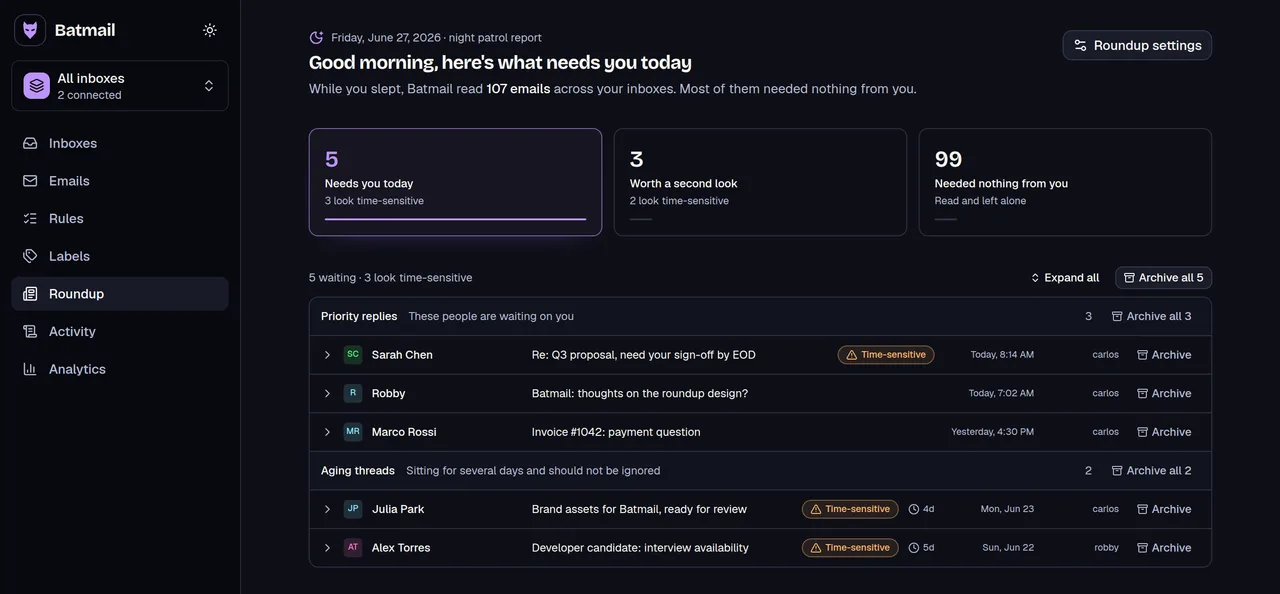
Writing a good email is the easy half. The hard half is the sixty that arrive while you write it. Batmail reads those overnight and gives you one brief in the morning.
More free tools
Other things you can do here
All free, all without an account.