Free tool, no signup
Free email attachment size checker
Choose files or type their sizes. See how big the email gets, and whether Gmail, Outlook, Yahoo and iCloud take it.
Separate several with commas, such as 18 MB, 900 KB, 1.2 GB. A number on its own is read as MB.
Will it send?
21.4 MBin 1 file
Packed into an email, that travels as about 29.3 MB.
- Gmaillimit 25 MBFits
Fits, with 3.6 MB to spare.
- Outlook.comlimit 25 MBMay not fit
Under the limit as files, but about 29.3 MB once encoded, so it may not go through. Attach it as a OneDrive link instead, up to 2 GB.
- Yahoo Maillimit 25 MBFits
Fits, with 3.6 MB to spare.
- iCloud Maillimit 20 MBToo big
Over by 1.4 MB before encoding. Use Mail Drop: up to 5 GB, downloadable for 30 days.
- Microsoft 365, Outlook on a computerlimit 35 MBFits
Fits, with 5.7 MB to spare once encoded.
- Microsoft 365, Outlook on the weblimit 26.3 MBFits
Fits, with 4.9 MB to spare.
- Microsoft 365, Outlook app on a phonelimit 33 MBFits
Fits, with 3.7 MB to spare once encoded.
- Classic Outlook with a Gmail, Yahoo or other internet accountlimit 20 MBToo big
Over by 1.4 MB. Send it from that account's web mail, or as a link.
Each limit is the one the provider publishes on its own help page. A work account's administrator can set a different one.
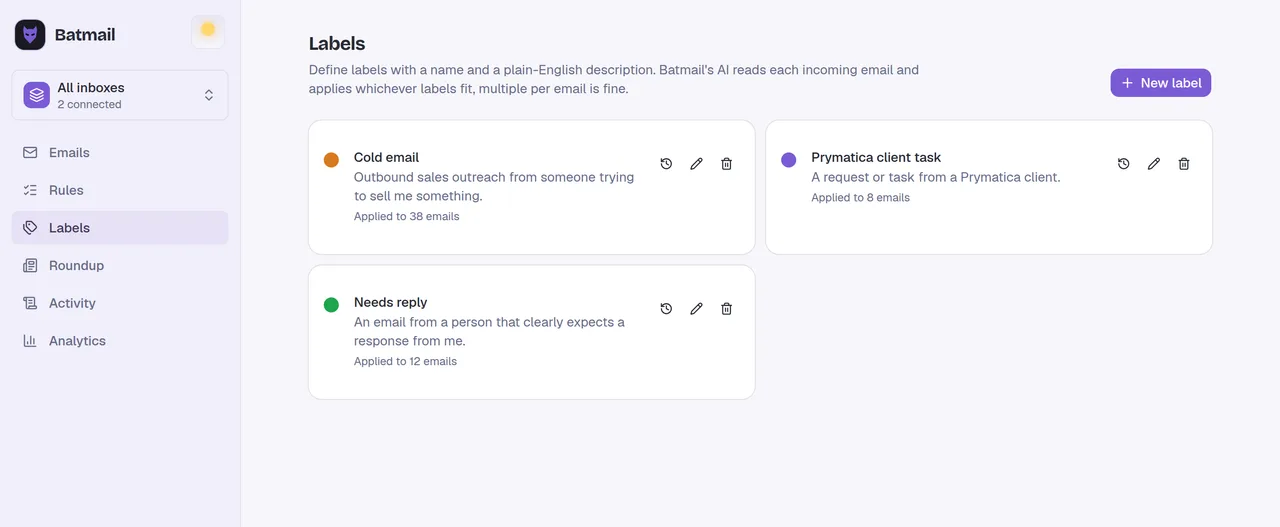
This tool handles one email. Batmail handles the rest.
Continue with GoogleHow to use it
Here is how to check an attachment before you send it.
Nothing is uploaded: the checker reads only each file's size. The answer for every service updates as you add or remove files.
- Drop the files on the box, or click it and choose them. You can add more than one.
- Or type the sizes, such as 18 MB, 900 KB, if the files are on another device.
- Read the total, and the size it reaches once it is packed into an email.
- Find your mail service in the list. Each says Fits, May not fit or Too big, against the limit its own help page gives.
- For anything too big, follow the line under it: a Google Drive or OneDrive link, or Mail Drop in iCloud Mail.
Published limits, in MB
- Gmail25 MB
- Outlook.com25 MB
- Yahoo Mail25 MB
- iCloud Mail20 MB
- Microsoft 365, Outlook on a computer35 MB
- Microsoft 365, Outlook on the web26.3 MB
- Microsoft 365, Outlook app on a phone33 MB
- Classic Outlook with a Gmail, Yahoo or other internet account20 MB
These three sets of files show what the checker says.
A folder of site photos fits Gmail but not iCloud Mail.
Ottilie Fenwright zips the photos of a shop fit-out into one file of 21.4 MB, which travels as about 29.3 MB. Gmail and Yahoo Mail take it, Outlook.com may not, and iCloud Mail and classic Outlook with an added account say it is too big.
A product video is too big for every service.
Kasimir Aldercott wants to email a 48 MB product video. Every service on the list says Too big, so he sends it from Gmail, which turns it into a Google Drive link, and the client downloads it from there.
A contract scan sits just under iCloud's limit.
Sunniva Brackenlow's signed contract is a 16.8 MB scan, under iCloud Mail's 20 MB. Packed into an email it comes to about 23 MB, so the checker marks it May not fit there and suggests Mail Drop, while every other service takes it.
Why a file grows in an email
3 bytes of the file
4 characters in the email
So the 21.4 MB file of photos in the first example travels as about 29.3 MB, line breaks included.
These are the mistakes that make an attachment bounce.
The file was just under the limit.
Email turns files into text about a third larger, as RFC 2045 sets out, so a file a little under the limit can make an email over it. Leave room, or send a link.
Several attachments were checked one at a time.
Gmail, Yahoo Mail and classic Outlook count all the attachments together. Add every file before you judge.
Only the sender's limit was checked.
The reader's server has a limit too. Yahoo's help page puts its 25 MB on incoming mail as well, and Microsoft 365 mailboxes receive up to 36 MB by default.
The link was not shared.
A Google Drive or OneDrive link only opens for people allowed to see the file. Gmail checks this and asks you to change the sharing settings when they are not.
Two other free tools help when an email does not arrive.
- The bounce back email decoder reads the message that says an email was too big.
- The EML file viewer opens a saved email and lists every attachment in it.
Questions
These are the questions people ask.
The answers worth having before, and after, you use the tool.
What is the attachment size limit in Gmail?
25 MB for a personal account, according to Gmail's help page. Above that, Gmail removes the attachment and adds it to the email as a Google Drive link. For work and school accounts, the administrator sets the limit.
What is the attachment size limit in Outlook?
It depends on the account. Microsoft's pages give 25 MB for a whole email in Outlook.com, 35 MB by default for Microsoft 365 work mailboxes, 33 MB from the Outlook app on a phone, and 20 MB for a Gmail or Yahoo account added to classic Outlook.
Why is my email too big when the file is under the limit?
Because files grow on the way. Email packs every 3 bytes of a file into 4 characters, a method set out in RFC 2045, so an attachment travels about a third larger. A 21.4 MB file travels as about 29.3 MB.
How do I send a large file by email?
Send a link instead of the file. Gmail does this for you with Google Drive, Outlook can attach a OneDrive link to a file of up to 2 GB, and iCloud Mail's Mail Drop sends attachments of up to 5 GB that the recipient has 30 days to download.
How do I send a video through email?
Check its size here first. If it is over the limit, send it as a Google Drive, OneDrive or iCloud Mail Drop link from the same mail app, and the recipient downloads it from there.
Does zipping a file make it small enough?
Sometimes. Microsoft's help page says compressing a file decreases its size and might bring it within the limit. If it is still over, send a link.
Are my files uploaded?
No. The checker reads only each file's name and size in your browser. No file is opened, and nothing leaves this page.
This tool handles one email. Batmail handles the rest.
A big attachment is one email's worth of trouble. Batmail reads everything that lands in your Gmail overnight, sorts it by what it is, and puts the few emails that need you at the top of one morning brief.
More free tools
There are more free tools here.
All free, all without an account.