Free tool, no signup
Free EML file viewer
Open an .eml file in your browser. See the sender, the date, the message as it was sent and every attachment.
No file to hand? See what the viewer shows with a sample.
This tool handles one email. Batmail handles the rest.
Continue with GoogleHow to use it
Here is how to open an EML file in a few seconds.
The file is read on your own device. Nothing is uploaded, so it is safe for private mail.
- Drop the .eml file on the box above, or click the box to choose it. You can also paste the raw source of a message.
- Read the top of the result: who sent it, who it went to, the date and the subject.
- Switch between the message as it was sent and its plain text. Pictures packed in the file show, and pictures stored on the web stay hidden.
- Check the list of links. Each one shows the words in the email and the address it really opens.
- Download an attachment with the button beside it, or open the headers to see the full record of the delivery.
What is inside an .eml file
- From:
- Sunniva Brackenlow <sunniva@wrenfold.example>
- To:
- Mira Vance <mira@hallowmere.example>
- Subject:
- Spring catalogue proofs, page one to twelve
- Date:
- Thu, 15 Oct 2026 09:12:00 +0300
A blank line
Plain text version
text/plain, 211 bytes
Formatted version
text/html, 432 bytes
Picture packed in the message
image/png, 145 bytes
Attachment
application/pdf, 193 bytes
These three files show what the viewer is for.
A saved receipt opens without a mail app.
Sunniva Brackenlow saved an order confirmation from Gmail with Download message months ago. On a shared computer with no mail app, she drops the file here and sees the order, the date it was sent and the invoice attached to it.
A forwarded email shows where its links really go.
Kasimir Aldercott receives a message his colleague forwarded as an attachment because it looked like a scam. The viewer lists every link, and the words Track your parcel lead to an address that has nothing to do with any delivery company.
An archive of old mail opens one message at a time.
The team at Hallowmere Print Co keeps old project emails as .eml files in a shared folder. Anyone can open one in the browser, read the thread and download the artwork that came with it, without importing it into an inbox.
What the viewer shows and holds back
- Who sent it, to whom, when, and the subject
- The message as it was sent, and its plain text
- Pictures packed inside the file
- Every attachment, ready to download
- The address behind every link
- Pictures stored on the web, which can tell a sender you opened it
- Scripts and forms inside the message
- Clicks on links inside the message
- Your file: it never leaves your device
These are the mistakes people make with EML files.
The file was opened in a text editor.
An .eml file is plain text, so a text editor opens it, but the message sits under lines of headers and encoded attachments. The viewer turns it back into a readable email.
A doubtful attachment was opened straight away.
A saved email carries the same attachments as the original. Download one only when you trust the sender, and check a suspicious message first.
The web pictures were expected to load.
Loading a picture from the web can tell the sender the email was opened, so the viewer does not load them. Pictures packed in the file still show.
A .msg file was dropped in.
A .msg file is Outlook's own format, and this viewer does not read it. In Outlook on the web, open the message and choose View, then View message source, and paste that here instead.
Two other free tools go further with a saved email.
- The phishing email checker gives a verdict on a message that looks like a scam.
- The email header analyzer reads the delivery path and the SPF, DKIM and DMARC results in the headers.
Questions
These are the questions people ask.
The answers worth having before, and after, you use the tool.
What is an EML file?
One email saved as a file. It holds the headers that say who sent it, to whom and when, then the message, then any attachments, all written as text in the format the internet mail standards define (RFC 5322 for the message and MIME for its parts).
How do I open an EML file without Outlook?
Drop it on the viewer above. It opens in this browser tab and shows the sender, the date, the subject, the message and the attachments. You do not need a mail app or an account.
How do I save an email as an EML file in Gmail?
Open the email, click the three-dot More menu and choose Download message. Google's help page says you need a desktop mail client to open the file it downloads; this viewer opens it in the browser instead.
Is my file uploaded anywhere?
No. Your browser reads the file on your own device. Nothing is sent to Batmail or anyone else, and closing the tab clears it.
Why are some pictures missing?
Pictures stored on the web are not loaded, because loading one can tell the sender the email was opened. Pictures packed inside the file show as normal, and the viewer says how many web pictures it held back.
This tool handles one email. Batmail handles the rest.
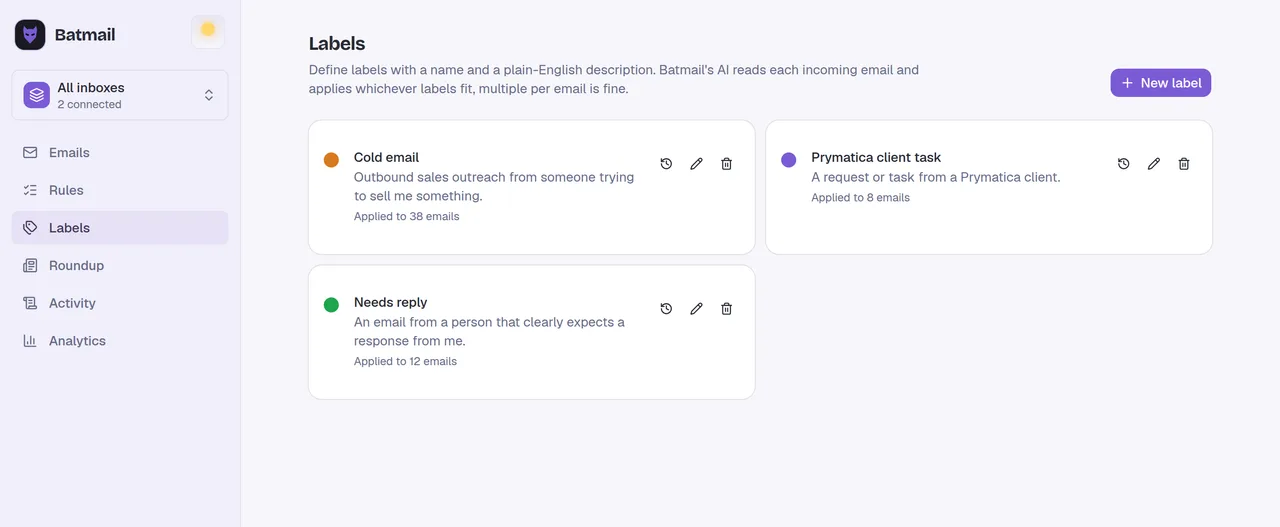
Opening one saved email is a quick job. Batmail reads every email that lands in your Gmail overnight, sorts each one by what it is, and writes down the reason.
More free tools
There are more free tools here.
All free, all without an account.