Free tool, no signup
Free introduction email builder
Introduce yourself to a new team, a client or someone you want to meet, or introduce two people, and copy the email.
Your introduction email
Introduction from [your name]
Hi,

I'm [your name]. I'm writing because [why you are writing].

Could we find 15 minutes for a quick call soon?

Best,
[your name]
This tool handles one email. Batmail handles the rest.
Continue with GoogleHow to use it
Here is how to write your introduction.
The email on the page changes as you choose, so you can try every option before you copy it.
- Choose the kind of introduction: joining a new team, becoming a client's new contact, writing to someone you would like to meet, or introducing two people.
- Choose the tone and the next step you want: a reply, a short call, a coffee or no ask at all.
- Type your name, your role and your company, then the name of the person you are writing to.
- Finish the two sentences the form starts for you: one detail about you, and why you are writing.
- Copy the email, or open it in your mail app with the button under it.
The four parts, in order
- 01
Who you are
Your name and role, in one sentence.
- 02
Why you are writing
The reason, straight after.
- 03
One useful detail
Something that matters to them.
- 04
One next step
A reply, a call or a coffee.
These three examples show the builder at work.
A new starter says hello to the team.
Ottilie Fenwright joins Hallowmere Print Co as its new studio manager. She picks Joining a new team, the friendly tone and Ask for a reply, and leaves the reason empty. The subject becomes "Hello from Ottilie Fenwright, the new studio manager", and the email says who she is and that she wanted to say hello before they start working together.
A new account manager writes to a client.
Kasimir Aldercott takes over a customer at Wrenfold Cycles. He picks New contact for a client and the formal tone, and types account manager as his role. The subject becomes "Your new contact at Wrenfold Cycles", so the client knows at a glance who is writing and why.
Two people meet through one email.
Sunniva Brackenlow knows a packaging designer and a bike shop owner who should talk. She picks Introducing two people and Suggest a coffee, writes one line on what each of them does and why they should meet, and the email ends by handing the conversation over to them.
The subject line for each kind
Hello from Sunniva Brackenlow, the new head buyer
Your new contact at Wrenfold Cycles
Introduction: Sunniva Brackenlow from Wrenfold Cycles
Introduction: Mira and Kasimir
These are the mistakes that stop an introduction getting a reply.
The email is about you for three paragraphs.
Keep the part about you to one or two sentences and one detail that matters to the reader.
There is no reason to reply.
Without a next step the reader has nothing to do. Ask for a reply, a call or a coffee, or say plainly that no answer is needed.
The two people were not asked first.
Before you introduce two people, check that each of them wants it. A surprise introduction puts both of them on the spot.
The subject says only Introduction.
A vague subject is easy to skip. Say who you are and why it matters to the reader.
Two other free tools help once the introduction is sent.
- The meeting request email builder asks for the meeting once they reply.
- The subject line length checker shows whether your subject fits on a phone.
Questions
These are the questions people ask.
The answers worth having before, and after, you use the tool.
How do I introduce myself in an email?
Say who you are and why you are writing in the first two sentences, add one detail that matters to the reader, and end with one clear next step. Keep it short enough to read on a phone without scrolling.
What should the subject line of an introduction email say?
Who you are and why it matters to the reader, such as Your new contact at Hallowmere Print Co. A subject that says only Introduction is easy to skip.
How do I introduce two people by email?
Ask each of them first whether they want the introduction. Then write one email to both: one sentence on who each person is, one on why they should talk, and a line that hands the conversation over to them.
Should an introduction email ask for something?
Yes, one thing. A reply, a short call or a coffee gives the reader something easy to do. Asking for several things at once makes the email easy to put off.
Does the builder use AI?
No. Every sentence comes from templates written by a person. Your choices pick the sentences, and the names and details you type fill the gaps. Nothing you type leaves your browser.
This tool handles one email. Batmail handles the rest.
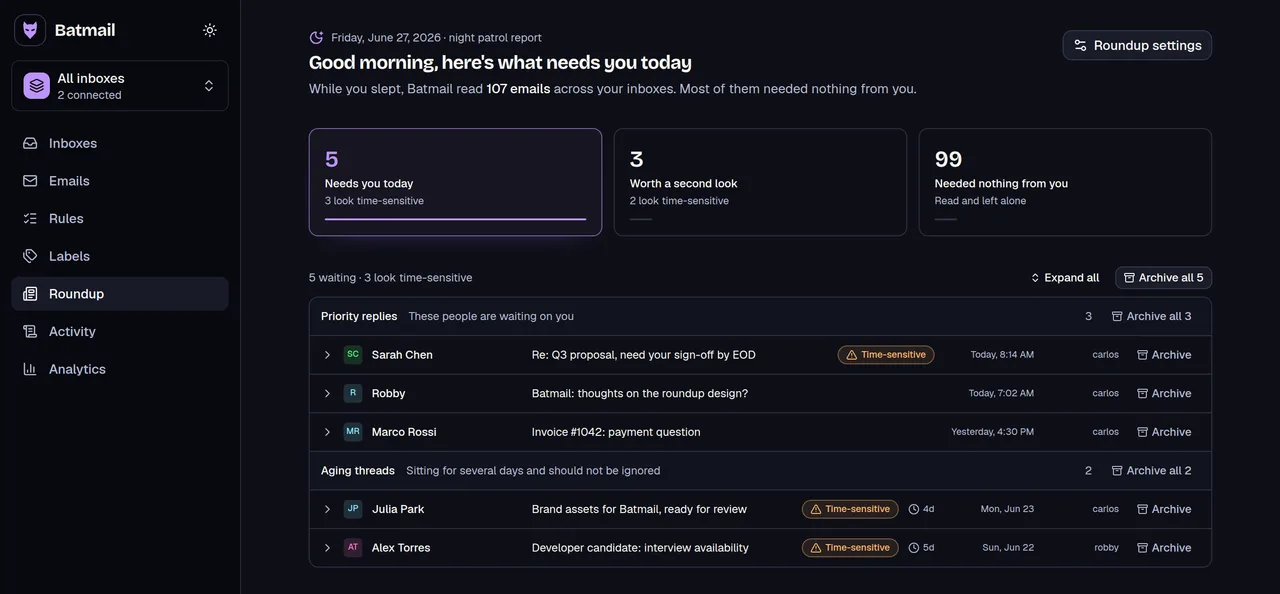
An introduction starts a thread. Batmail keeps up with the replies: it reads what arrives overnight and puts the threads that need you at the top of one morning brief.
More free tools
There are more free tools here.
All free, all without an account.