Free tool, no signup
Make a Gmail alias by adding a plus and a word before the @.
Type your address, tick a tag such as shopping or newsletters, and copy aliases that all land in your one inbox.
Your Gmail aliases
Type your address above and your aliases appear here, one for each tag. They look like this:
- yourname+shopping@gmail.com
- yourname+newsletters@gmail.com
An alias sorts mail by where it came from. Batmail sorts all of it for you.
How to use it
Here is how to make an alias and sort what it receives.
The aliases update with every choice. Nothing is created in Gmail, because there is nothing to create.
- Type your Gmail address in full, such as yourname@gmail.com.
- Tick the tags you want, or type your own, one for each place you plan to give the address.
- Copy an alias and use it when you sign up for a shop, a newsletter or a service.
- To sort what arrives, pick the alias under Then sort what each alias receives and open the search in Gmail.
- Click Show search options, then Create filter, and choose what the filter does with mail sent to that alias.
One alias, part by part
pat.sample+shopping@gmail.com
- 01
pat.sample
Your own name, as it is in Gmail.
- 02
+shopping
A plus and any word you choose. This is the part that tells you where it was given.
- 03
@gmail.com
The same ending as your real address.
These three aliases show what the generator writes.
A shop that shares your address gets found out.
Pat Sample gives one online shop pat.sample+shopping@gmail.com. Months later a stranger's offer arrives addressed to that alias, so Pat knows the shop passed it on. The search deliveredto:pat.sample+shopping@gmail.com lists everything that arrived through it.
Newsletters can be sorted without touching the sender.
Pat signs up for every newsletter with pat.sample+newsletters@gmail.com. One filter on that alias applies a label and skips the inbox, and every future newsletter is handled the same way, whoever sends it.
Dots give one address many spellings.
The name patsample has nine letters, so a dot can go in eight places, and Google says each of the 256 spellings reaches the same inbox. p.atsample@gmail.com and patsamp.le@gmail.com are two of them.
Three ways to a second address
- Sorts mail
Plus tag
Add a plus and a word before the @. The mail arrives in your inbox, and you can search or filter on the address it was sent to.
- Personal Gmail only
Dots
Dots do not change a personal Gmail address, so every dotted spelling reaches you. On a work or school account Google says they do change it.
- Changes the From address
Send mail as
Lets you send from another address. Google says from January 2027 Gmail stops supporting it for third-party addresses.
These are the mistakes that make an alias fail.
The alias was treated as private.
Anyone can remove the plus and the tag and see your real address. An alias sorts mail. It does not hide you.
A form rejected the plus sign.
Some sign-up forms do not accept it. Use a dotted spelling or your plain address on those.
Dots were tried on a work account.
Google says dots do change an address on a work or school account, so a dotted spelling there may reach no one.
The alias was not written down.
A filter looks for one exact alias. Note the tag you gave each site, in a password manager or a list, or you cannot search for it later.
Two other free tools help once the aliases are in use.
- The Gmail filter generator turns a plain sentence into the filter that handles an alias's mail.
- The Gmail unread email finder lists what you have not read yet, from any address.
Questions
These are the questions people ask.
The answers worth having before, and after, you use the tool.
How do I create an alias in Gmail?
For an address that sorts your mail, type your address with a plus and a word before the @, such as yourname+shop@gmail.com. There is nothing to set up, and mail sent to it arrives in your inbox. To send mail from a different address, add one under Settings, then Accounts and import, then Send mail as.
Is a Gmail alias a separate inbox?
No. Every alias reaches the same inbox as your main address, and Gmail does not create a new account for it. What changes is the address the mail was sent to, which you can search for or filter on.
How do I sort mail sent to an alias?
Search for deliveredto: followed by the alias, click Show search options at the right of the search box, then click Create filter. Google's help page says a filter can send mail to a label, or archive, delete, star or forward it.
What is the Gmail dot trick?
Google says dots do not change a personal Gmail address, so you own every dotted version of it: johnsmith@gmail.com and j.ohn.smith@gmail.com reach the same inbox. On a work or school account Google says dots do change the address.
Does an alias hide my real address?
No. Anyone can delete the plus and the tag and see your address, and a site that stores the alias can tell it is yours. Use aliases to sort mail and to see who shared your address, not for privacy.
Why does a website say my plus address is not valid?
Some sign-up forms reject the plus sign even though it is a legal part of an address. Use a dotted spelling, or your plain address, on those. The form is refusing it, not Gmail.
Can I send mail from a different address in Gmail?
Yes, with Send mail as under Settings, then Accounts and import. Google's help page says that from January 2027 Gmail stops supporting Send as for third-party addresses, while Google Workspace aliases and other Gmail addresses you own are not affected.
An alias sorts mail by where it came from. Batmail sorts all of it for you.
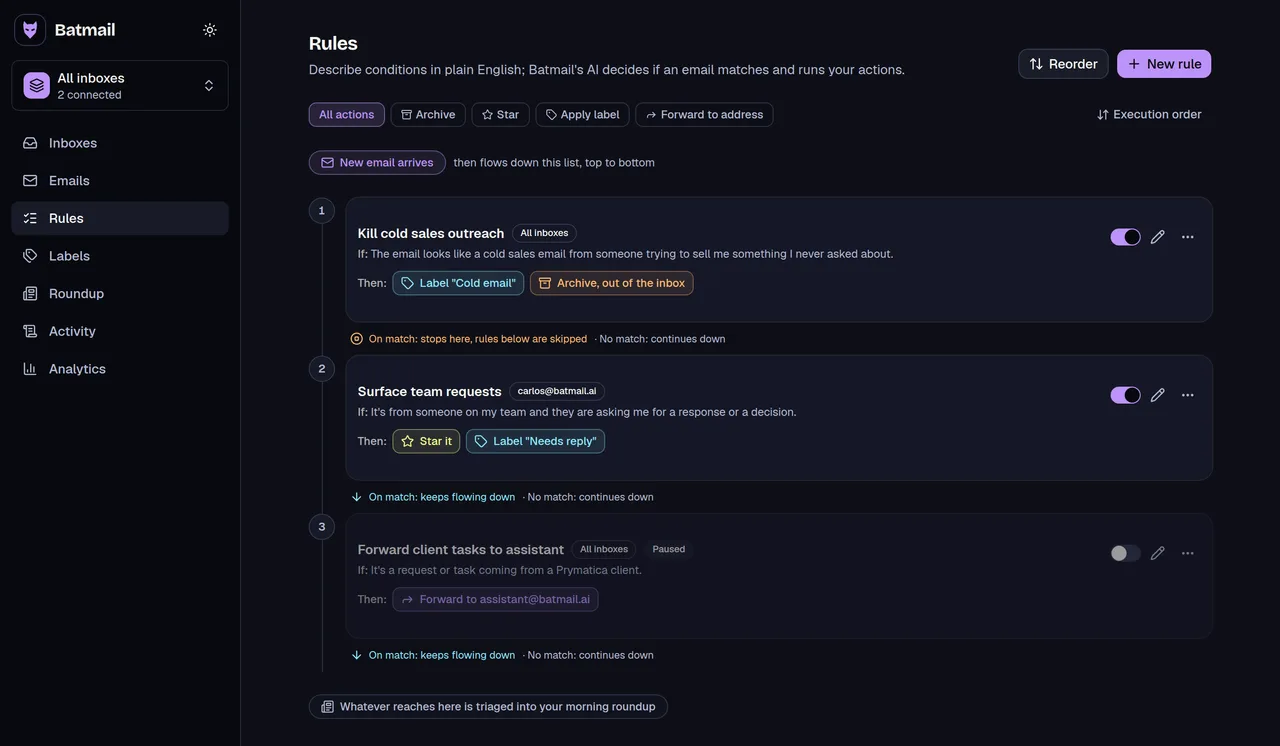
Aliases and filters sort mail by where you signed up, and you set up each one by hand. Batmail sorts by what a message is: rules you write in plain English archive and label it as it lands, and every action is logged with the reason.
More free tools
There are more free tools here.
All free, all without an account.
Once aliases are in use, these guides cover sending from another address and keeping unwanted mail out: Gmail ending Send as, POP and Gmailify, Block emails in Gmail. The rest are in all the guides.