Free tool, no signup
A mailto link opens an email with the address, subject and message already filled in.
Fill in who, the subject and the message, and get the mailto link, the HTML to paste, and a Gmail link for the browser.
Your links
mailto:hello@shop.example?subject=Question%20about%20my%20order&body=Hi%2C%0D%0A%0D%0AI%20have%20a%20question%20about%20order%201042.%0D%0A%0D%0AThanks
<a href="mailto:hello@shop.example?subject=Question%20about%20my%20order&body=Hi%2C%0D%0A%0D%0AI%20have%20a%20question%20about%20order%201042.%0D%0A%0D%0AThanks">Email us</a>
A mailto link opens whatever mail app the visitor has set as their default, which may not be Gmail. This link opens Gmail's compose window in the browser instead, for anyone signed in to Gmail there. Google does not document this address, so test it before you rely on it.
https://mail.google.com/mail/?view=cm&fs=1&to=hello@shop.example&su=Question%20about%20my%20order&body=Hi%2C%0A%0AI%20have%20a%20question%20about%20order%201042.%0A%0AThanks
A link starts an email. Batmail handles what comes back.
How to use it
Here is how to make a mailto link and test it.
The links update with every keystroke. Nothing is sent, because a mailto link only opens a draft.
- Type who the email goes to. Separate several addresses with commas.
- Add a subject and a message if you want them filled in for the sender.
- Open More to add Cc, Bcc or the words the link should show.
- Press Try the link in your mail app to see the draft it opens.
- Copy the link, or copy the HTML and paste it into your page, then click it once on the live page.
One link, part by part
mailto:service@wrenfold.example?cc=workshop@wrenfold.example&subject=Service%20booking&body=Hello%2C%0D%0A%0D%0AI%20would%20like%20to%20book%20a%20service%20for%20my%20bike.%0D%0A%0D%0AThank%20you
- 01
to
service@wrenfold.example
- 02
cc
workshop@wrenfold.example
- 03
subject
Service booking
- 04
body
Hello, / / I would like to book a service for my bike. / / Thank you
These three links show what the generator writes.
A contact link with a subject saves the sender typing.
Hallowmere Print Co fills in hello@shop.example, the subject Question about my order and a short message. The generator writes one link of 173 characters, and a customer who clicks it sees a finished draft.
Cc puts the right person in the loop.
Wrenfold Cycles sends booking requests to service@wrenfold.example and copies workshop@wrenfold.example. The generator puts the Cc after the address, so the workshop sees every booking without anyone remembering to add it.
A plus address needs care in a link.
Ottilie Fenwright copies ottilie+orders@hallowmere.example so order replies are easy to sort. The generator writes the plus sign out in full, because a bare plus in a link can be read as a space and break the address.
Which link to use
- Works anywhere
Mailto link
Opens the mail app the visitor's device uses by default: Outlook, Apple Mail, Gmail on a phone, or nothing at all.
- Needs Gmail
Gmail compose link
Opens Gmail's compose window in the browser for anyone signed in to Gmail there. Google does not document it, so test it first.
These are the mistakes that break a mailto link.
The subject or message was typed straight into the link.
A space, an ampersand or a line break typed into a link by hand can cut the message short. Let the generator write them.
The link was tested in only one mail app.
A phone and a computer each open their own default app, and some open none. Click the link on both before you publish it.
A long message made a link some apps cut off.
Past about 2,000 characters some apps drop the end. Keep the message to a few lines.
The Gmail link was given to everyone.
It only helps people signed in to Gmail. Use the mailto link for the general public, and the Gmail link where you know your readers use Gmail.
Two other free tools help when the email is the point.
- The email signature generator builds the block of contact links that sits under every message.
- The meeting request builder writes a whole email and opens it in your mail app.
Questions
These are the questions people ask.
The answers worth having before, and after, you use the tool.
What is a mailto link?
It is a link that starts with mailto: instead of http. Clicking it opens a new email in the visitor's mail app, with the address and anything else you set already filled in. It sends nothing until the person presses Send.
How do I add a subject and a message to a mailto link?
Put a question mark after the address, then subject= and the subject, then an ampersand and body= and the message. Spaces and line breaks have to be written in a special encoded form, and the builder above does that for you so the link does not break.
How do I send to several people, or add Cc and Bcc?
Separate several addresses with commas. Cc and Bcc work the same way, with cc= and bcc= in the link. Fill the boxes under More above and the builder puts each one in the right place.
Why does my mailto link open the wrong mail app, or none?
A mailto link opens the mail app the visitor's device has set as its default, which may be Outlook, Apple Mail, or nothing at all on a computer used only with webmail. You cannot choose it for them. The Gmail link above opens Gmail in the browser instead, for people signed in to it.
Is there a length limit on a mailto link?
The standard sets none, but some mail apps and browsers cut off a link past about 2,000 characters. Keep the message short, or send people to a contact form when you need more.
Will a mailto link on my website attract spam?
It can. The address sits in your page's code, where automated harvesters read it. A contact form keeps the address out of sight, at the cost of a form to look after. For a small site a link is still the quickest way to take enquiries.
Does the Gmail link always work?
Not always, because Google does not publish it as a feature and could change it. It opens Gmail's compose window for people signed in to Gmail in that browser, and does nothing useful for people on another mail service. Test it with a Gmail account before you rely on it.
A link starts an email. Batmail handles what comes back.
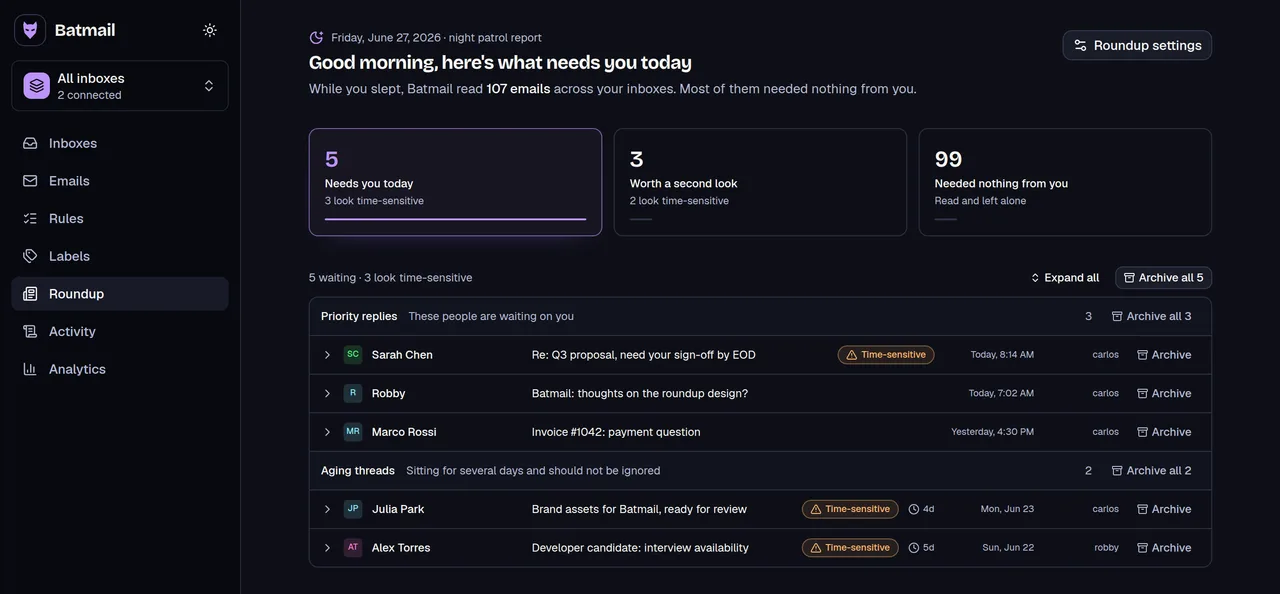
A mailto link starts one email. Batmail handles what comes back: it reads every message that lands overnight, runs the rules you write in plain English, and delivers one short brief at dawn.
More free tools
There are more free tools here.
All free, all without an account.